Choose your photos
Drop in matching frames. Choose a sharp reference and leave out anything blurred or clouded over.
Follow the Lightroom-to-TIFF tutorialFree browser beta
Turn a fixed-tripod photo sequence into one nightscape. Align and average the stars, keep your reference-frame foreground, and export a 16-bit TIFF for your final edit.
No sign-up Photos stay on your device
Desktop Chrome or Edge 3–30 matching JPEG, PNG or supported RGB TIFFs. RAW files need an export first.
A focused workflow
One view, one fixed tripod. Start with the photos you already have.
Drop in matching frames. Choose a sharp reference and leave out anything blurred or clouded over.
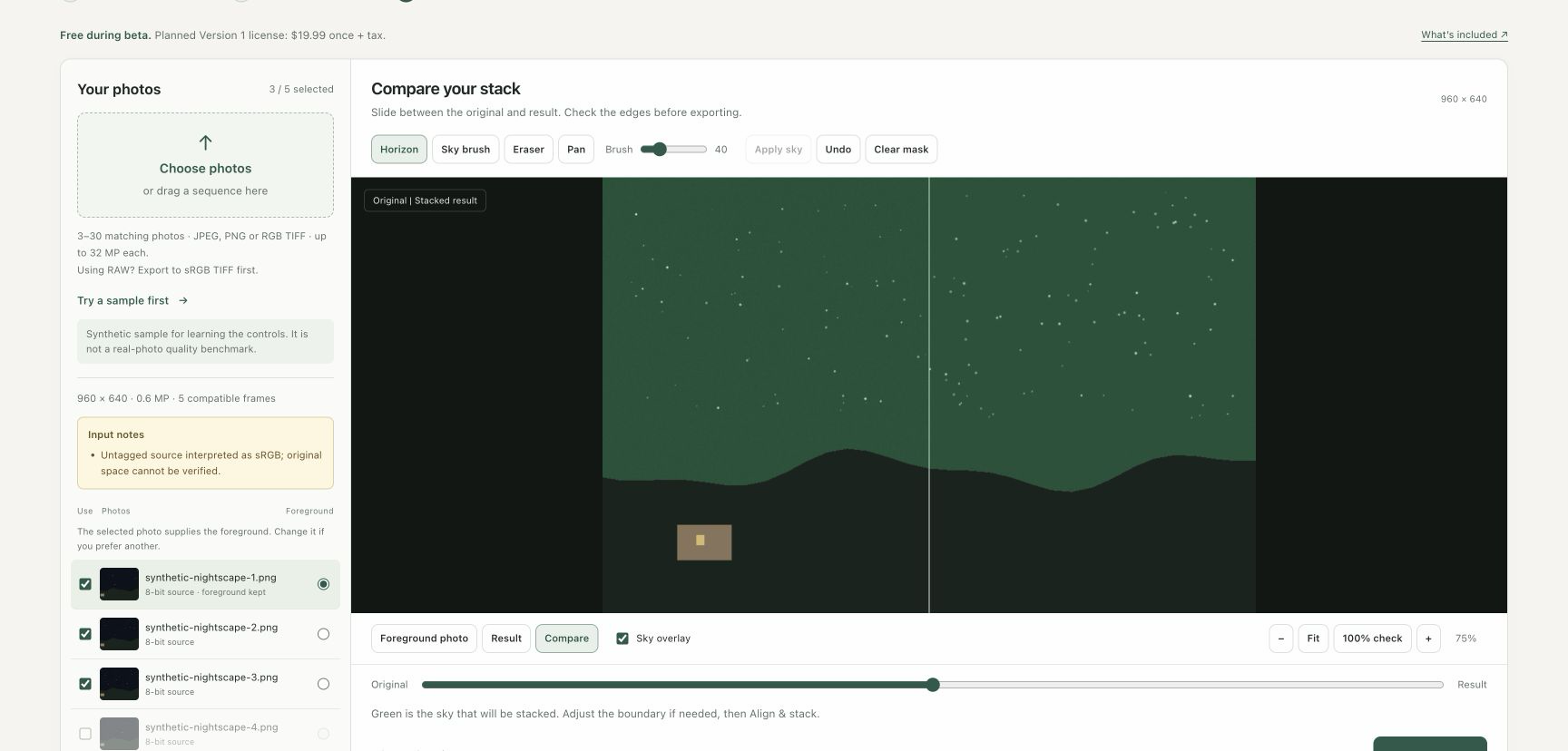
Follow the Lightroom-to-TIFF tutorialClick along the horizon. Refine the boundary with a brush so the ground stays out of the stack.
See how masking worksCheck the stars and horizon at actual pixels. Save a 16-bit sRGB TIFF and finish in your usual editor.
What to look forBefore you start
This beta stacks the sky from one consistent fixed-tripod sequence. You draw the sky mask; the foreground comes from your chosen reference frame.
Desktop Chrome or Edge
3–30 matching frames
JPEG, PNG or supported RGB TIFF
Camera RAW files need to be exported first. Tracked skies, panoramas and separate foreground exposures are outside this beta.
There is no automatic branch masking or trail removal. A 16-bit export from an 8-bit source cannot add original capture detail.
Simple pricing
Try the full workflow with your own photos before buying an export license.
Free preview
$0
Find out what your sequence can do.
Version 1 TIFF license
$19.99 USD once
Planned launch price, plus applicable tax.
One purchase. No subscription.
TIFF export is free, too. General sales are not open yet. License details & purchase recovery
Start with a few frames
Try 5–10 sharp frames and a simple horizon for your first pass.